Create Virtual Private Cloud (VPC) and Firewalls
Create a Virtual Private Cloud (VPC)
- Go to DigitalOcean Console → Networking → VPC
- Click on Create VPC
Basic VPC Information
-
Select Region: Example →
Bangalore (blr1) -
VPC Name:
red5pro-autoscaling-blr1Use region name as suffix for clarity. Example:
<VPC_NAME>-<REGION> -
Description: (Optional) Add a description for your VPC
Configure VPC Private Subnet
-
Subnet Label:
red5pro-autoscaling-subnet. -
IPv4 CIDR block:
10.1.0.0/24.-
If want to create multiple subnets, click on
Add Another Subnetand specify CIDR and label.
-
-
Click Create VPC
Example:
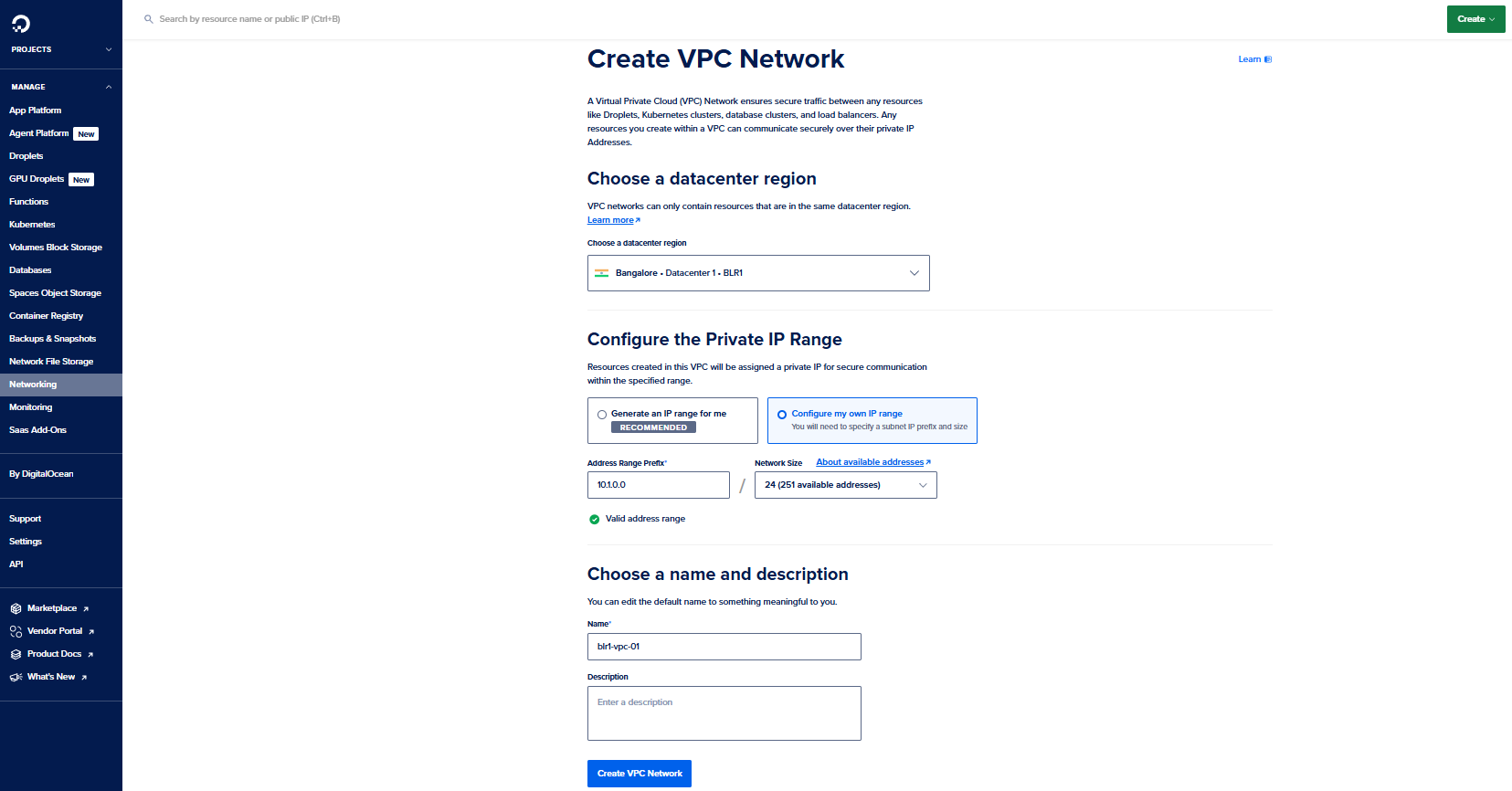
Record your VPC name and region — these values will be used in API calls and Terraform variables (
NODE_VPC_NAME,NODE_DIGITALOCEAN_REGION) when creating node groups.
Create Firewalls
You will create two separate firewalls in DigitalOcean:
- Firewall for Stream Manager instance
- Firewall for Red5 Pro autoscaling nodes
Firewall for Stream Manager
Go to: DigitalOcean Console → Networking → Firewalls → Create Firewall
- Name:
red5pro-autoscaling-sm-fw - Inbound Policy: Accept
- Outbound Policy: Accept
- Click Create Firewall
Add Inbound Rules (Stream Manager)
Add the following inbound rules manually:
| Label | Description | Protocol | Port Range | Source | Action |
|---|---|---|---|---|---|
| http-rule | HTTP | TCP | 80 | All IPv4, All IPv6 | Allow |
| https-rule | HTTPS | TCP | 443 | All IPv4, All IPv6 | Allow |
| kafka-rule | Kafka | TCP | 9092 | All IPv4, All IPv6 | Allow |
Example:
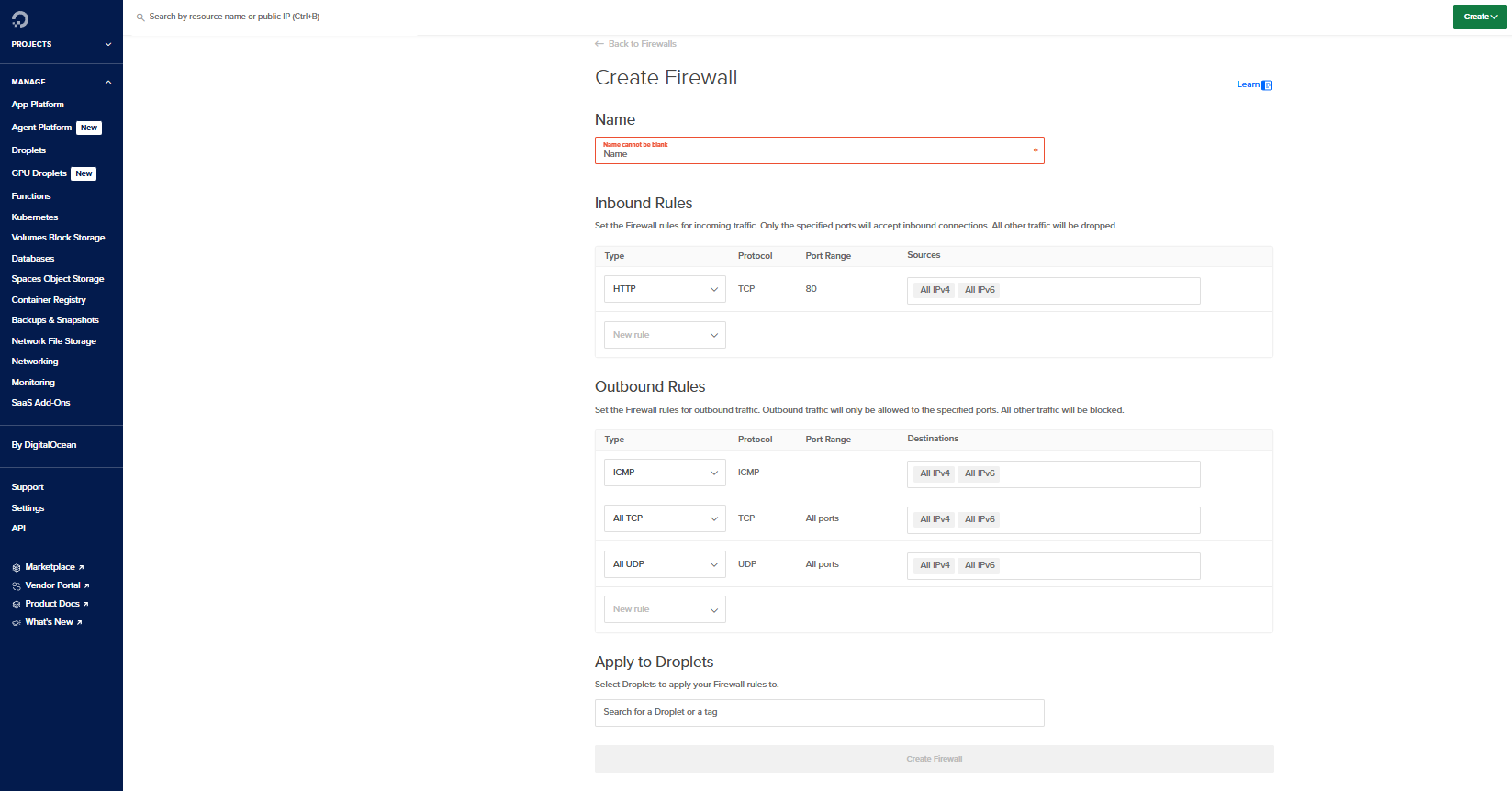
Firewall for Red5 Pro Nodes
Go to: DigitalOcean Console → Networking → Firewalls → Create Firewall
- Name:
red5pro-autoscaling-node-fw - Inbound Policy: Accept
- Outbound Policy: Accept
- Click Create Firewall
Add Inbound Rules (Autoscaling Nodes)
| Label | Description | Protocol | Port Range | Source | Action |
|---|---|---|---|---|---|
| http-rule | HTTP (Stream Manager → Node) | TCP | 5080 | All IPv4, All IPv6 | Allow |
| rtmp-rule | RTMP | TCP | 1935 | All IPv4, All IPv6 | Allow |
| udp-rule | TURN/STUN/ICE | UDP | 40000-65535 | All IPv4, All IPv6 | Allow |
Example:
Save the firewall name — you will use this value for the
NODE_SECURITY_GROUPparameter when creating node groups via the Stream Manager 2.0 API.